
Creating Icon on Desktop from Chrome
It's really easy to create an icon on your desktop from Google Chrome.
1) Make sure you have nothing else open.
2) Then go to http://app.rehabvaluator.com/login
3) Next click on Restore Window so your Window is not maximized. That button is in the top right. It should make it so the window doesn't take up the whole screen
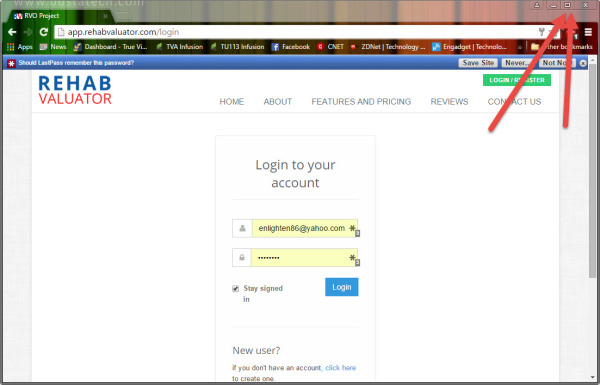
3) You left click and hold on the little paper icon to the left of app.rehabvaluator.com/login and then drag that onto your desktop.
4) Congratulations! You now have an icon on your desktop to go to Rehab Valuator online.
5) You can right click on that icon and select rename if you want to give it a different name. This doesn't change the functionality.