
Edit Footer
You are able to edit the footer on your reports through the 'My Profile' section. I have included screenshots below to assist with visual navigation. Please let us know if this helps with the issue you are encountering!
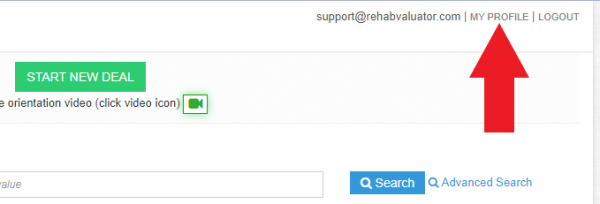
Step One: Click 'My Profile' at the top right of your screen.
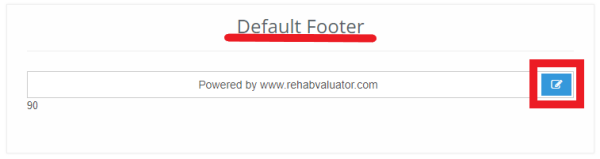
Step Two: Scroll down to where it says 'Default Footer' and select the blue square with the pencil icon to edit.
Step Three: Edit your footer and click the save icon towards the top left-hand above the edited footer.
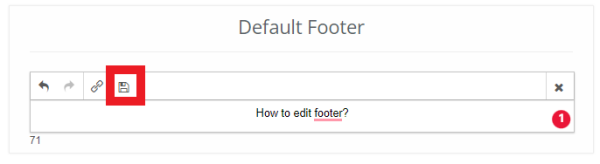
Step Four: After you click save, the footer on your profile page should look like the below image. (ie. the newly inputted footer is displayed next to the blue pencil icon with no save button etc. above)